
Once slips have been entered into Brief EnCounter, they must be exported and saved to allow import into Brief Accounting for Billing.
Export a Full List of Slips
From the Slips list screen, click the Export button:
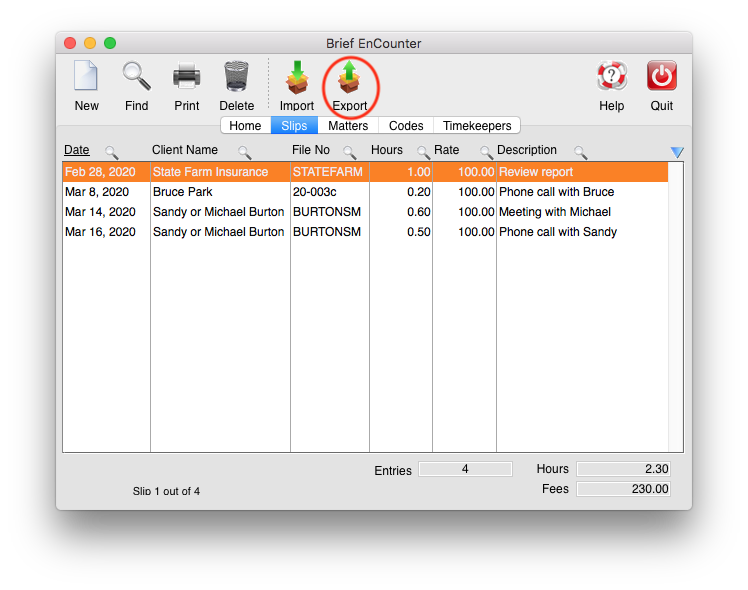
The default name of the slips file to be saved is displayed. It uses the Timekeeper's initials and the date in the file name:

Click OK to save the exported slips file.
This can then be sent to the Brief Accounting user for Import.
Export a Partial (filtered) List of Slips
It may be necessary in some instances to send a partial slips list to Brief Accounting, rather than the complete list. Common scenarios would be when slips have to be billed up to a cutoff date, or a specific matter requires immediate billing.
Filter by Date
Click the magnifying glass icon beside the Date column heading:

Enter the date range of the slips to be exported and click Search. In the example below, only slips from February will be filtered for:


With only the slips in the required date range visible, click Export and follow the export steps above.
The February slips are exported and the March slips remain in Brief EnCounter:

Filter by File Number
Click the magnifying glass icon beside the File No column heading:

Enter the file number of the slips to be exported and click Search. In the example below, only slips for BURTONSM will be filtered for:


With only the slips for the required file visible, click Export and follow the export steps above.
The BURTONSM slips are exported and all other slips remain in Brief EnCounter:

0 Comments