
Brief Accounting assigns an Access Type to each staff entered. Access Types determine what level of access the user has to the various functional areas of Brief Accounting. The Access Type can be viewed/selected on the Staff Card.
From the Brief Accounting Home screen, select the Staff module icon > Staff tab:
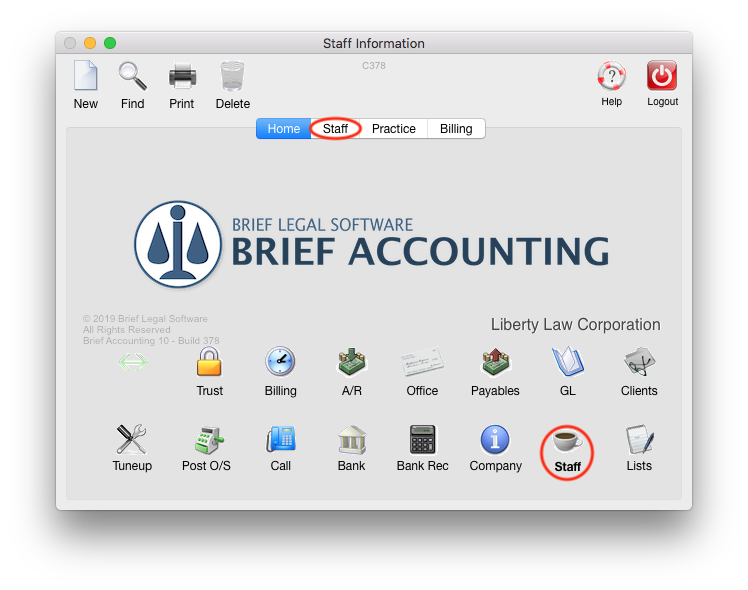
A list of all staff is displayed, with the Access Type for each listed:

The various Access Types available are:
- Administrator
- Partner
- Associate
- Legal Assistant
- Accountant
- Bookkeeper
- Secretary
Note: The above Access Types do not necessarily correspond to the working titles of each staff, but each access type assigns the staff specific permissions in each functional area of Brief Accounting.
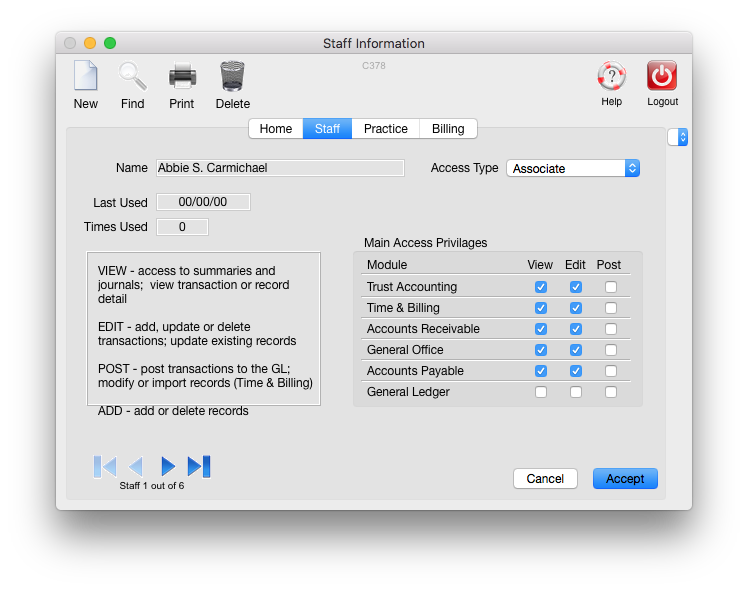
By double-clicking on a staff name in the above list, the Access Type can be selected on the Staff Card:

To View the Detail of the Access Level & Permissions for each Access Type
With the Access Type selected on the Staff card, click the drop-down menu to the right and select either Access 1, Access 2, or Access 3:

Each of the different access screens lists the different permissions for the Access Type selected. The permissions for each Access Type are listed below.
Administrator


Partner


Associate


Legal Assistant


Accountant


Bookkeeper


Secretary


Customizing Access Levels
With the exception of the Access Type Administrator, the permissions allowed may be customized for individual staff.
For example, a staff who is designated as Legal Assistant has permissions as below (on Access 3 screen):

Supposing that this particular staff will be responsible for Bank Reconciliations, but the rest of her permissions are correct in terms of her duties. The Bank reconciliation permissions can be added to her staff card to allow this functionality:

Changing permissions for the Legal Assistant on a Staff card only impact that particular staff person. Other staff set to Legal Assistant Access Type are not affected.
Permissions can be customized for all Staff as required (provided they are not set to Administrator).
0 Comments