
IMPORTANT NOTE: If installing on OS X 10.14 (Mojave):
The setting change below must be made in order to allow remote access.
Select the Apple menu and choose System Preferences.
Select Security & Privacy.
Click the lock icon in the bottom left corner and enter your password:
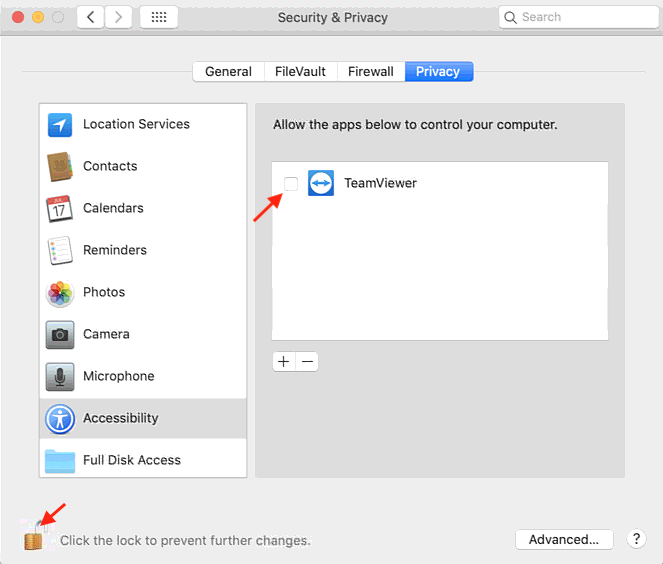
Select the Privacy tab > Accessibility option.
Add a check next to all TeamViewer apps in the right panel of the Security & Privacy dialog.
Close the Security & Privacy dialog.
To exit the connection, click the Quit button.
0 Comments