
In Brief Accounting, matters can be Active/Inactive as well as Open/Closed. The explanations of both are below:
Active or Inactive Files:
Active (or Inactive) is unrelated to File Management (Open or Closed status). Active or Inactive pertains to accounting activity on the matter. A matter is considered Active if it has any of the following:
- unbilled time
- funds in Trust
- a balance in Accounts Receivable
In any of the various modules in Brief Accounting, selecting Active Only files displays the files that are active only in that module. For example:
- In the A/R module active matters are those with an outstanding Accounts Receivable balance
- In the Billing module active matters are those that have unbilled time and/or costs
- In the Trust module active matters are those with a balance of funds in trust
- In the Client module active matters are those that are active on one or more of the above functional areas
Open or Closed Files:
By default in Brief Accounting, files are set as Open when they are created and remain Open until they are manually closed.
To set a mater to Closed status:
Select the Client module > Matter tab:
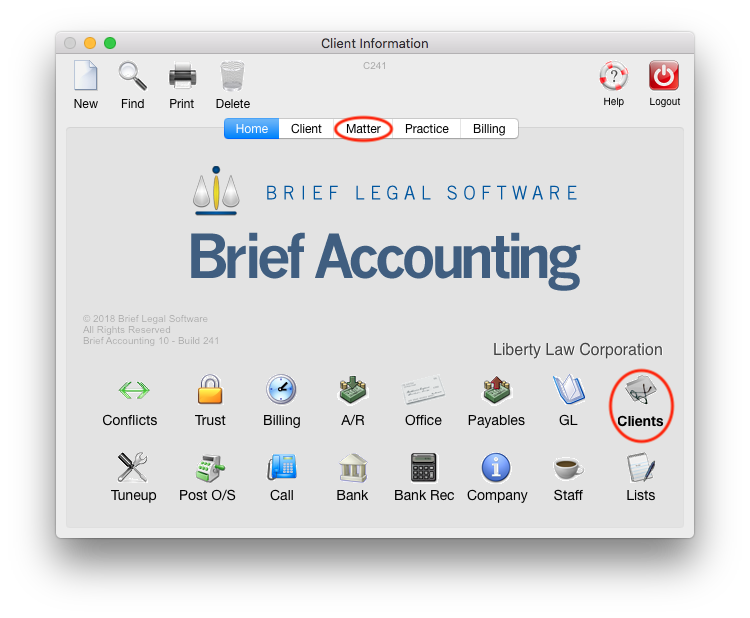
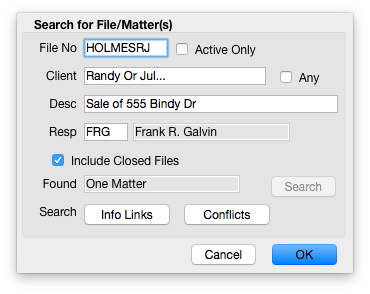
In the "Search for File/Matter(s)" dialog box, enter the file number and click "OK":
The Matter card is displayed:

Click the Closed option:
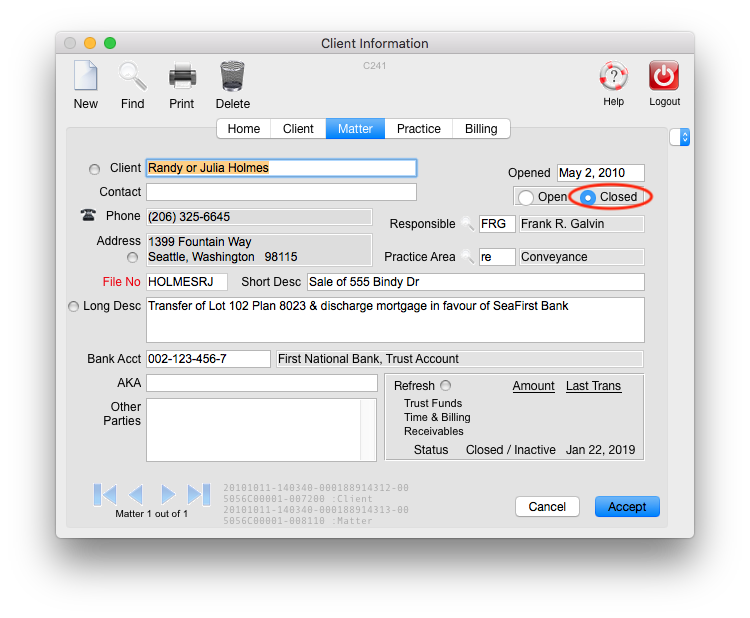
When a matter is marked as closed, the Archive information is enabled and can be accessed and completed from the side menu:

Once a Matter is set to Closed:
- The matter will be removed from Brief EnCounter (or DocketMan) the next time a matter list is synced.
- New time cannot be entered for the Matter.
- The Archive screen is enabled (as above) allowing archive information to be entered.
- The matter will not appear on lists in Brief Accounting unless the user specifically selects to include Closed Matters when viewing files.
Note: When a file has been marked Closed, it can still be Active. A Closed file may still have an Accounts Receivable balance or unbilled slips. If attempting to close an Active file, a message similar to below will appear, allowing the user to Close the file or Cancel closing the file:

0 Comments