
Brief Accounting Version 10 or Brief Client Version 10 Window Opening Off Screen
1. Close Brief Accounting or Brief Client
2. Select Finder then hit command + shift + g on your keyboard. Alternately, open Finder, then select the Go menu at the top of the screen, then select Go to Folder.
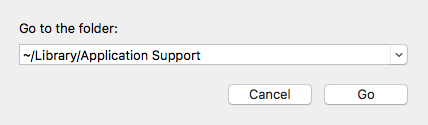
3. Type ~/Library/Application Support into the "Go to the folder" field and click Go:
4. Delete either the Brief Accounting or the Brief Accounting Client folder
5. Close the Finder window and restart Brief Accounting or Brief Client.
0 Comments